GoPlayer - Cloud Music Player
Discover GoPlayer - Cloud Music Player for Mac. Read our comprehensive review of this Google Drive music player featuring custom playback and offline access.
Imagine having thousands of high-fidelity audio tracks stored in the cloud, but no seamless way to enjoy them on your desktop without cluttering your local hard drive. Many music enthusiasts and professionals use cloud storage as an archive, yet standard web interfaces lack the sophisticated playback controls needed for an optimal listening experience. The GoPlayer - Cloud Music Player bridges this gap perfectly for macOS users, turning your personal cloud storage into a fully-fledged streaming suite.
What is GoPlayer - Cloud Music Player?
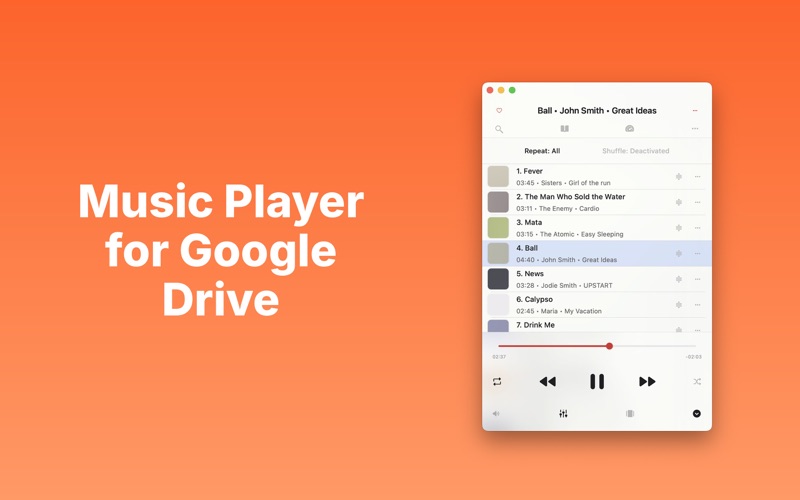
Developed by Igor Meleshko, this specialized media utility is designed specifically for the Mac platform. It allows users to connect directly to their Google Drive account, streaming audio files instantly without requiring local synchronization. Whether you are managing voice memos, a curated FLAC collection, or standard MP3s, this software acts as a dedicated bridge between cloud storage and your speakers.
Key Features of the GoPlayer - Cloud Music Player
- Broad Format Support: Play everything from standard MP3 and M4A files to high-resolution formats like FLAC, WAV, AIFF, and AAC.
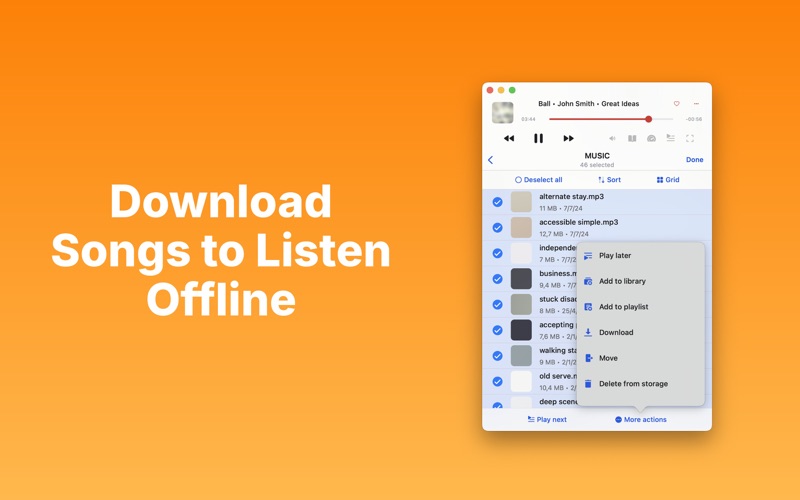
- Offline Listening: A built-in download manager lets you save your favorite albums locally for those times when you lack an active internet connection.
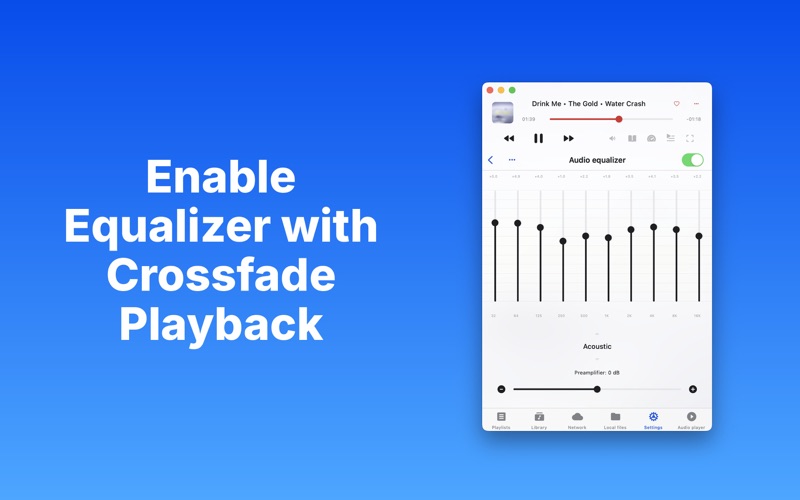
- Advanced Audio Tailoring: Fine-tune your experience with an integrated audio equalizer, playback speed controls, and a sleep timer for nighttime listening.
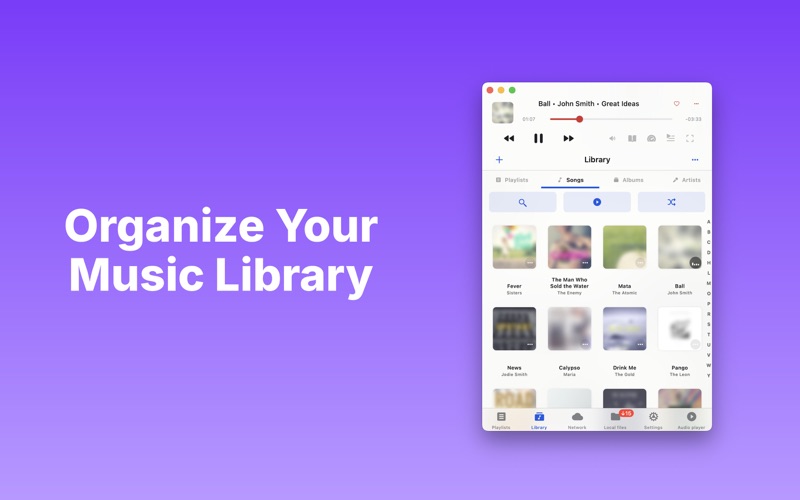
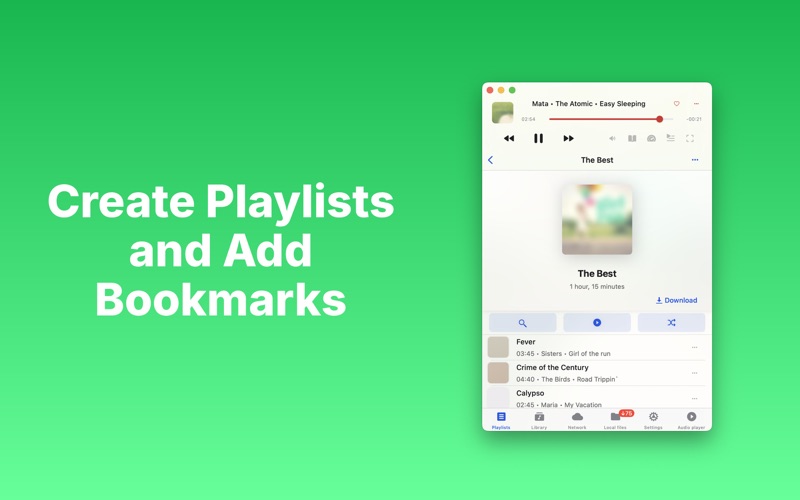
- Seamless Organization: Create custom audio playlists, set precise audio bookmarks within longer tracks, and utilize the advanced search tool to find files instantly.
Who is this Cloud Player For?
The GoPlayer - Cloud Music Player is an exceptional tool for individuals who want to free up local disk space on their Mac without sacrificing their music library. It is particularly useful for audio editors who need to review tracks stored in the cloud, students listening to recorded lectures at variable speeds, and audiophiles who demand lossless playback via AirPlay support.
Our Editorial Verdict
By focusing on direct integration with Google Drive, this application eliminates the need for expensive third-party streaming subscriptions. It provides a clean, native macOS interface that respects system resources while offering background playback and robust file management. If you want to unlock the full potential of your cloud-stored audio library, we highly recommend exploring this utility.
To experience these advanced playback features firsthand, you can find the application available on the official Mac App Store.